The dashboard
every CIO has been waiting for
You know what the old maxim says: “you can't improve what you don't measure.” It applies particularly well to the IT department. Before even “improving”, “measuring” helps you avoid the rapid drift that is typical of IT work, and that hits customers hard — internal or external (delays, cost overruns, and so on). Measuring and monitoring key indicators is what then makes improvements, optimizations and ambitious steering strategies with executive management possible.
Already adopted by 100+ CIOs of mid-market companies and large groups
Kiabi · Valrhona · Leroy Merlin
 ISO 27001
AirSaas, the next-generation CIO dashboard
In a context where business transformation is accelerating, and where innovation is no longer confined to one department but has become a competitive imperative, digital projects are multiplying and putting the IT department at the center of attention. We built the ideal dashboard to help you meet executive management's expectations and become the business teams' first business partner.
Value-driven portfolio management
Project planning and progress
Resource management
Budget monitoring
The key to a company's success is prioritizing the investments that bring it the most value. The CIO's role is to put in place the governance and the indicators that make good decisions possible, so the portfolio of projects to run can be steered properly. That means bringing the leadership team around a CIO dashboard that presents the essential data from each activity, so decisions can actually be made. The main indicators fall into 3 areas:
For planning, AirSaas offers three views, each with a different purpose
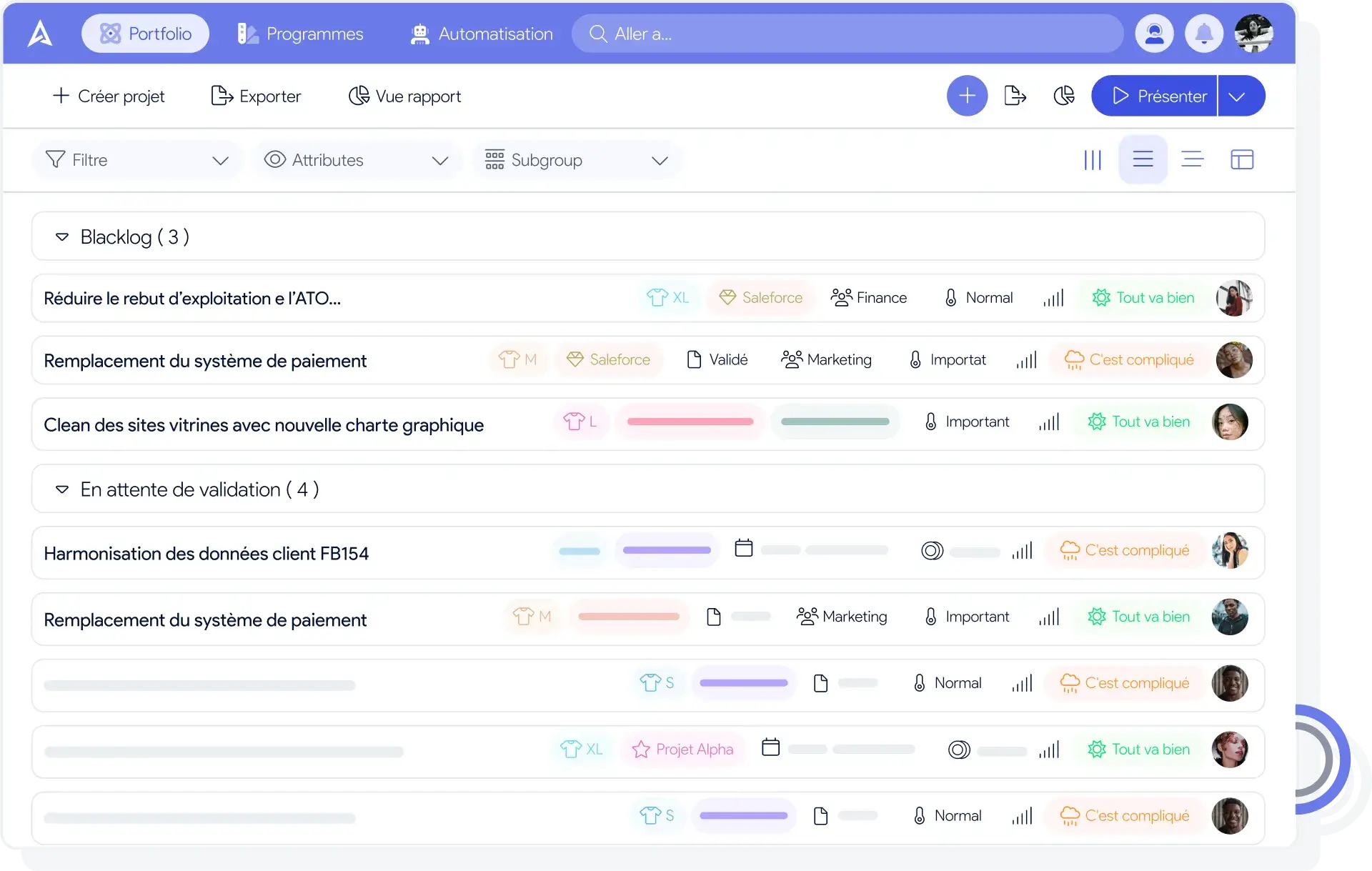
For a given stage of progress, the list view lets you review your projects with every indicator in the foreground. What actions will move these projects to the next stage?
Kanban view
The Kanban view is dedicated to observing how projects are distributed across stages of progress. It often surfaces trends — many projects awaiting validation, too many running in parallel — and helps you optimize performance management.
Timeline view
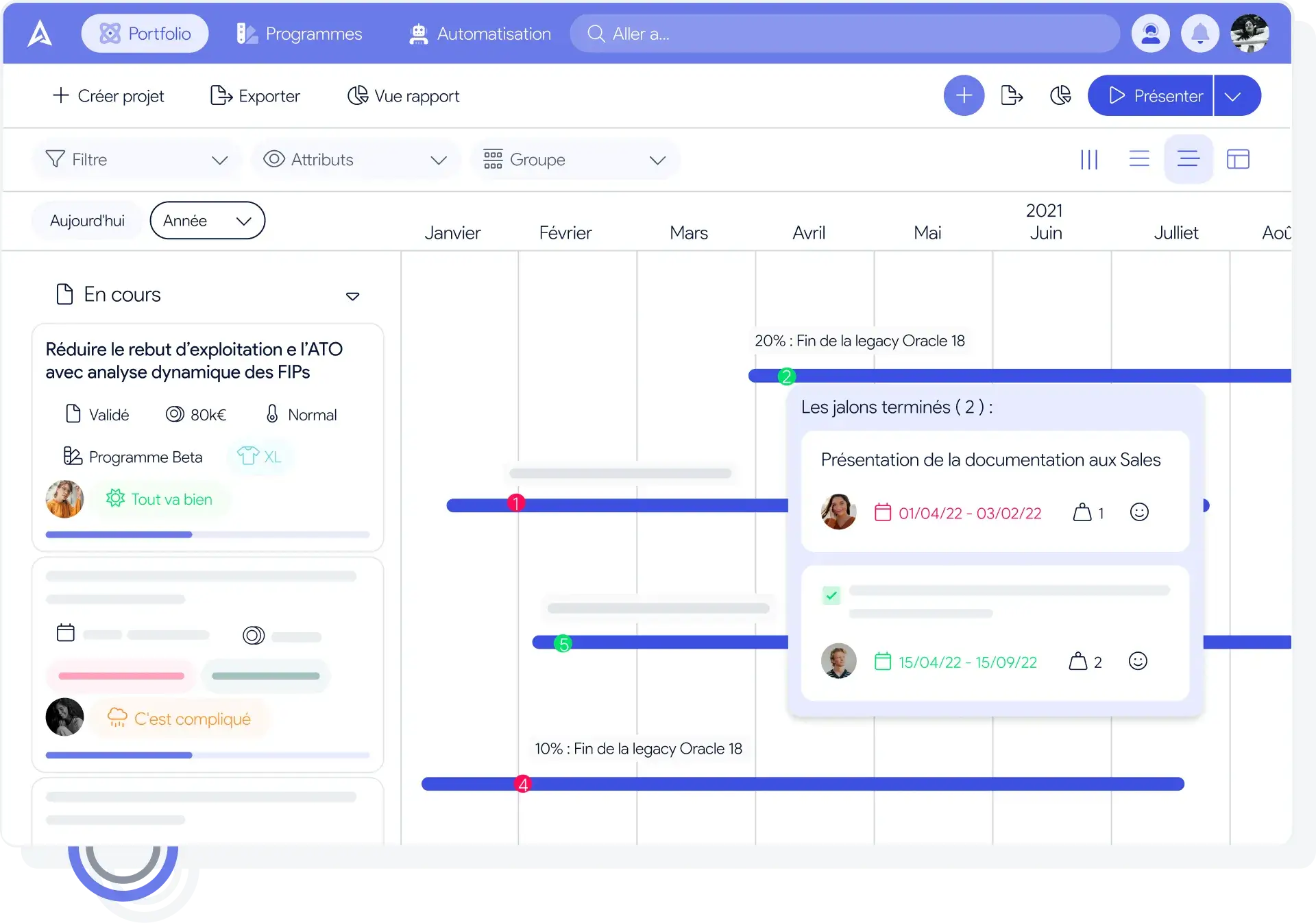
The timeline view lets you check how projects are spread over time. Are we overloaded at some point? Will we deliver on time? Are we already late?

Bring people on board with good communication
A successful project is delivered on time and at the right price — but it is also a project the customer genuinely backs. That means involving them in the framing and throughout the build. Good communication is just as essential to keep your executive management's trust. At regular intervals, you need to lay out project progress, how key indicators are moving, how performance is tracking, and how committed the teams are. Because people remain the number one factor in the success — or failure — of your projects.
For that, we give you two tools.
The automated flash report
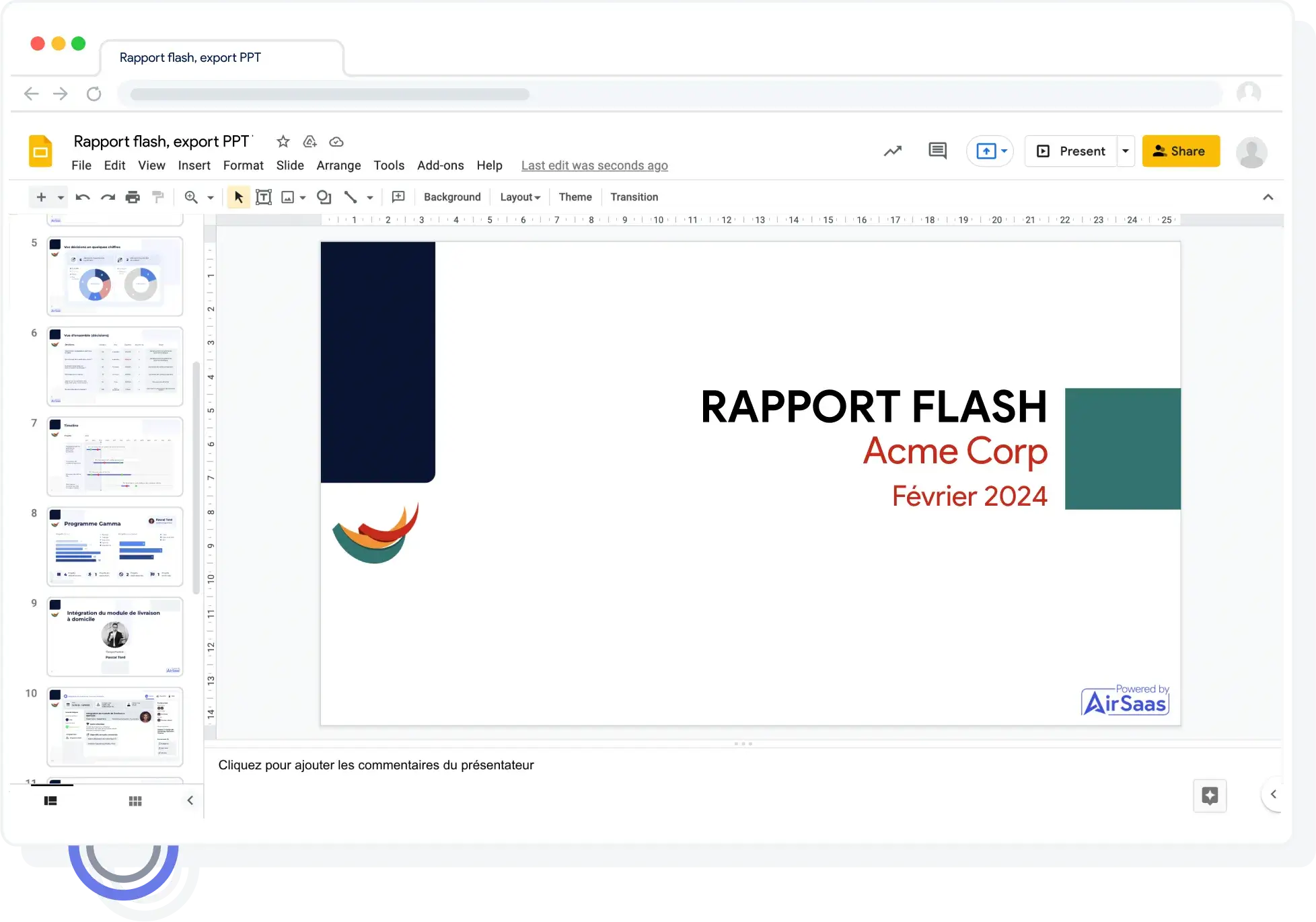
Reporting is essential. It is also time-consuming, and too often left aside. We let you generate flash reports in one click. Exportable to PDF or PowerPoint, they keep stakeholders informed of how your work is progressing. The flash report gathers the projects you want to communicate about. For each one, two slides are generated: a reminder of the framing information, and the key elements of execution.

Tracking the commitment indicator
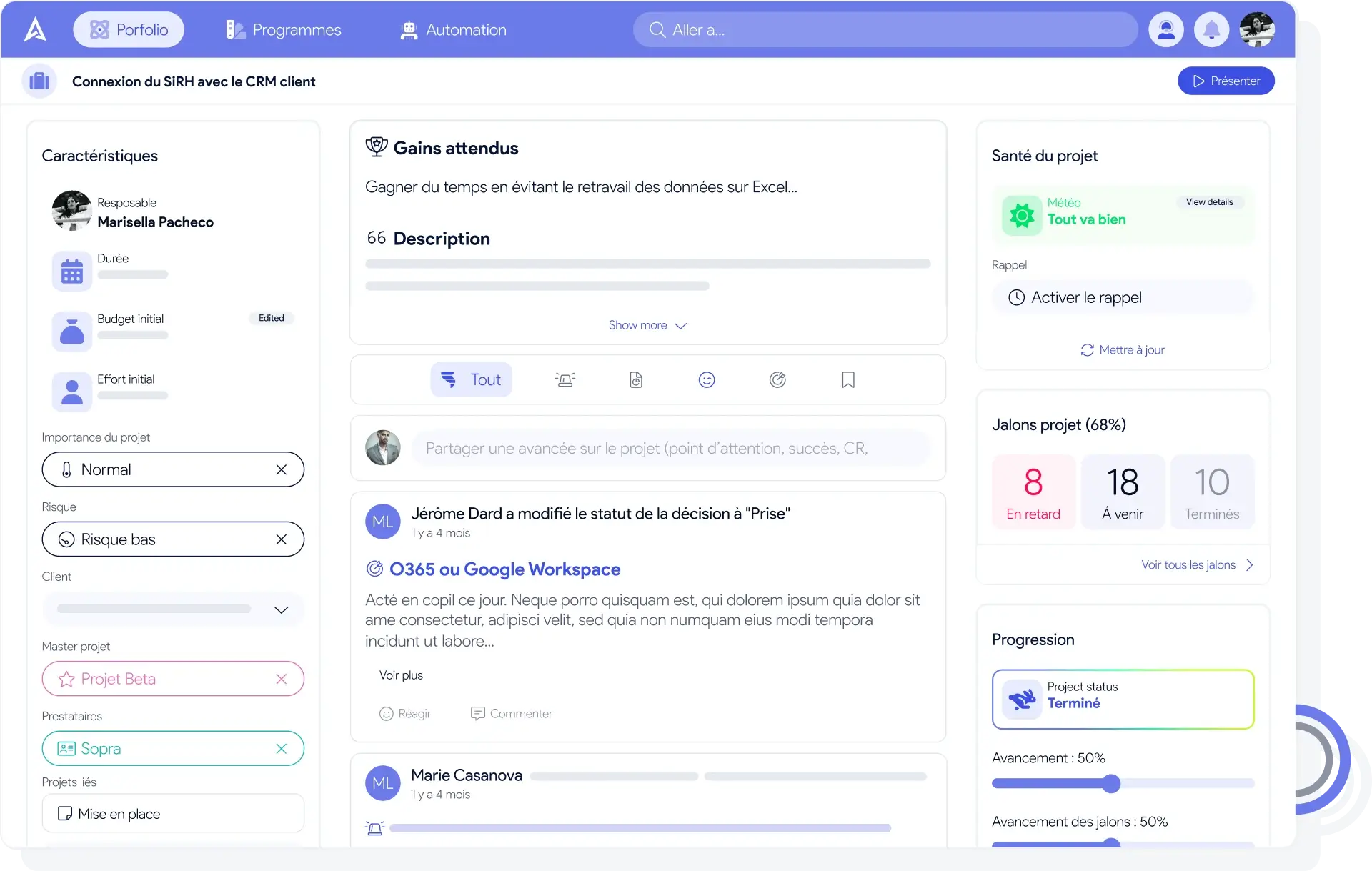
We provide an anonymous survey tool to measure how much stakeholders believe in the project under way. The higher that confidence, the more likely your project is to succeed. If it is low, you need to act fast — nothing is worse than a project that ships but misses the customer's need. In one click, send the survey to everyone involved. Do it at regular intervals and avoid nasty surprises in the way you steer your projects.
Become a profit center rather than a cost center
Historically, the IT department has always been seen as a cost center. Once reporting to Finance, it is now increasingly valued and has earned its seat on executive committees.
To improve company performance — through innovation and process optimization — it matters to:
The AirSaas CIO dashboard lets you track the value IT generates for the company — both the benefits delivered and the contribution to the company's annual goals.
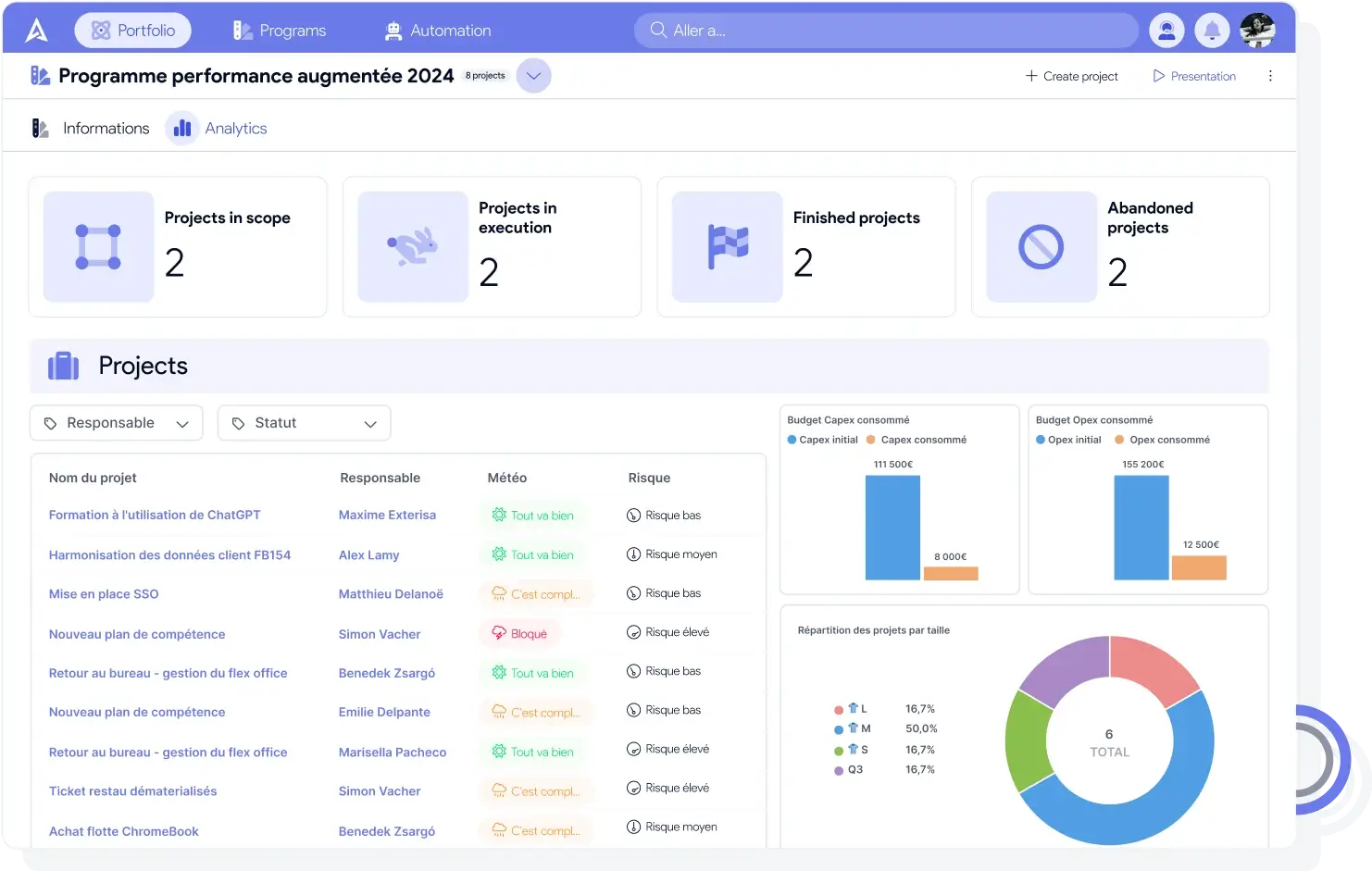
Analytics programs
Every other department had its dashboard — now you do too
You didn't wait for AirSaas to build your own CIO dashboard, and you were right to. After auditing several dozen IT departments, we developed a steering dashboard made for CIOs.
Consolidated data
Usually built in Excel or in visualization tools, the dashboards we have seen lack consolidated data. AirSaas connects to your various project management tools and gives you one abstraction. Data is consolidated around projects, partner solutions, the teams involved, and more — so you can display and track the indicators your activity actually needs.


Smart indicators to support decisions
The goal here is to surface what deserves a CIO's attention, to make decisions easier. When a project has been waiting on a decision for weeks while it is strategic for a business unit, you need to know — that is how you keep your IT department's performance on track.
Simple and collaborative by design
Involving the teams is essential. That calls for a simple tool, one that needs no training and lets people work together according to their access rights. AirSaas was designed as the meeting point between IT and the business units.

Why using a dashboard is essential to steering an information system
Steer the IT department well
Establish effective internal communication
Spot the trends inside the company
Track each objective over time
Analyze the gap between the goals set and those reached
Give each person ownership by assigning them objectives to manage
Where IT departments once focused mainly on technical concerns, they are becoming steadily more business-oriented: steering the information system is now seen inside a company as a serious lever for creating value. But if IT wants to be able to help its company hit its business goals, the way it is steered has to be sound. That is where a forward-looking dashboard becomes indispensable to good information-system governance. If an organization wants to progress, it has to give itself the means to assess itself — otherwise, how would it know whether it is improving and reaching its goals? The forward-looking dashboard is what lets IT secure effective steering through short-, medium- and long-term objectives, and make sure those objectives are not derailed by an operational problem along the way. In short, a CIO dashboard lets you:
Why the indicators you choose decide whether your information system is steered well
The unfortunate transposition of traditional management systems onto CIO dashboards
As Philippe Rosé and Christophe Legrenzi explain in their book “Les tableaux de bord de la DSI”, information systems were for a long time assessed through dashboards and indicators that were never designed to analyze how an IT department is steered.
What happened is that performance indicators born in the industrial world were transposed into dashboards to analyze IT activity. Yet those traditional steering indicators — accounting, budget control — are not at all suited to building a dashboard for information-system maintenance, which tracks activities that are cross-functional by nature. Industrial indicators were conceived for cost control: they cut each operational service into smaller units, to know what each unit costs and then find ways to reduce that cost.
So transposing those indicators into dashboards has been harmful to how information-system activities are assessed — and it has shaped how IT departments are perceived inside companies.


From a cost-center dashboard to a profit-center dashboard
Assessing IT performance this way inevitably led companies to analyze information systems through what they cost. The consequence: information systems are steered by cost rather than by the value they can create.
One telling example: a large majority of CIO dashboards include a notion of budget, while only 20% have indicators to assess the value IT produces. It follows that information systems are mostly perceived as cost centers rather than value centers. And if companies got used to centering their dashboards on cost rather than value, it is partly because industrial management systems were transposed wholesale — and partly because inventing indicators that measure the value an IT department produces is genuinely hard. This cost-first view of IT dominates in executive management, and it weighs heavily on digital-transformation decisions.
The CIO dashboard at the service of executive management
CIO dashboards are indispensable to executive management if it wants to steer the company's digital transformation properly: the indicators in the leadership dashboard are what report on how IT is run, and what informs sound governance of the company's people and budgets.
Among the main uses of the leadership dashboard:
Several of these questions look at what IT costs the company (on average between 1% and 5% of the total budget depending on the sector), but several others call for indicators centered on the value IT produces. Yet many dashboards put in front of executive management come down to an analysis of the budget dimension alone. Faced with those dashboards, many executives take the easy route: judging IT performance by the ratio between the IT budget and company revenue. The main performance goal then becomes not overspending — even though a department's performance obviously cannot be assessed by its ability to respect a budget.
How do you build dashboard indicators that actually matter?
Principles to respect when building a dashboard's indicators
Following a few formal principles when you build dashboard indicators is essential to keep control of how IT is steered:

Treating dashboard indicators as a reflection of company goals
You can find dashboards with performance indicators already designed to fit any company, but the best option is customization.
Every dashboard used to steer an IT department should be built against the company's goals: those indicators have to reflect its strategic ambitions.
Every organization works in its own way, so a generic IT dashboard has limited value. The most effective dashboards are the ones that describe how information systems are steered in the context of their own company.
An IT dashboard is therefore hard to build and calls for stepping back from company activity: one of the best ways to reach a dashboard that reflects reality is to involve the business units in designing it.
Involving the business units in building IT dashboard indicators
Very often, business units are barely involved — sometimes not at all — in building the IT department's performance indicators and dashboards. That is further evidence that most CIO dashboards are created from an IT-centric standpoint, even though the direct beneficiaries of what IT delivers are the business units themselves.
Involving the business units is indispensable if the indicators are to match the company's real situation. Ideally, form teams of business managers (volunteers where possible), supported by members of the IT department. Business managers can then point to the areas that bring them the most value, and that are therefore the most relevant to assess and monitor through the dashboard. To sum up, build your dashboard indicators:
Follow these principles and you stand a good chance of ending up with a dashboard that really does let you steer your IT department well.