 ISO 27001
“A steering hub [...] giving the right level of visibility to the business, to executive and management committees”

Your company's transformation deserves a PPM tool that helps you get past the most common problems in project portfolio management. With AirSaas, speed up your decision-making, keep total transparency on your project priorities, and say goodbye to task-level micro-management.
Already adopted by 100+ CIOs of mid-market companies and large groups
Kiabi · Valrhona · Leroy Merlin
“A steering hub [...] giving the right level of visibility to the business, to executive and management committees”
“AirSaas sets out to make alignment between the business departments, IT and executive management real”

“A new way of bringing teams on board”

“IT chose to put two complementary solutions in place: AirSaas for strategic steering and Asana for the operational management of projects”

Great tool that allows us to streamline the management of our project portfolio. I recommend!
 Thomas Sagnimorte
A fine project and real cross-functional momentum between IT and the business units, in service of Audencia's project portfolio management Marion Jaffré Mélinda SCHLEDER Maryline Breton Thomas Kerbiriou .A great partnership with AirSaas, Bertran Ruiz! Glad to watch the progress day after day ... and the first results! Onwards!
 Marie-Odile Lhomme
With the AirSaas tool we were able to ritualize our project review meetings by eliminating PowerPoints and inefficient meetings. This allows us to have the entire IT department aligned and informed about all projects on a daily basis. A really TOP tool!
 Clement Royer
Plenty of project portfolio management tools are on the market: what sets AirSaas apart from the existing ones?
The simplest project portfolio in the world. AirSaas is designed to be used by IT teams and business leads alike, with no training at all. Invite your colleagues to enjoy an ergonomic interface with a clean design.
Give your project governance body the best possible decision-making setup. The AirSaas project portfolio brings together, in one summary view, the combination of indicators needed for value-driven decisions.
A project portfolio should not force you to give up your favourite project management tools. AirSaas connects to the most popular tools on the market (Jira, Azure DevOps, Asana, etc.) to bring up the information essential to macro steering of your activities.
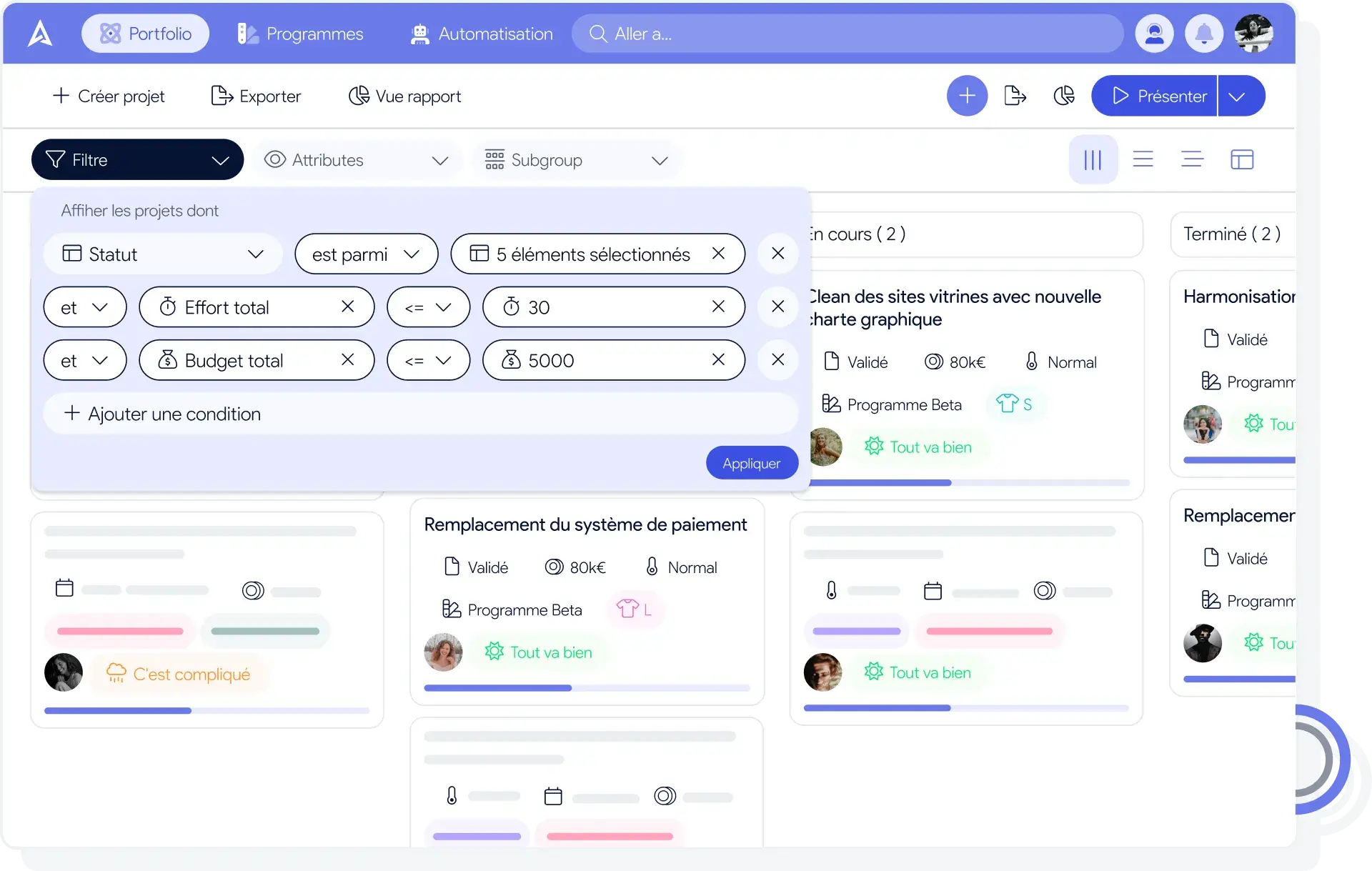
The company strategy is clear, the project governance body is in place; now you need relevant, up-to-date indicators to prioritize projects by urgency, potential benefits, available resources, and so on. Your steering committee's performance depends on your ability to make the right decisions in the right timeframe. AirSaas gives you access to a dashboard of your project portfolio. You can use the filters to find the projects where you need to concentrate your efforts.
The importance of good reporting needs no further proof. The more the company's leadership and management know about how the various projects are progressing, the more the assorted frustrations disappear. The problem is that collecting the information that reporting needs is a time-consuming task for your people. That is why we offer the automatic flash report. Generate a presentation (.ppt, .pdf, url) in one click, with all the up-to-date data laid out in slides in your company's colours.
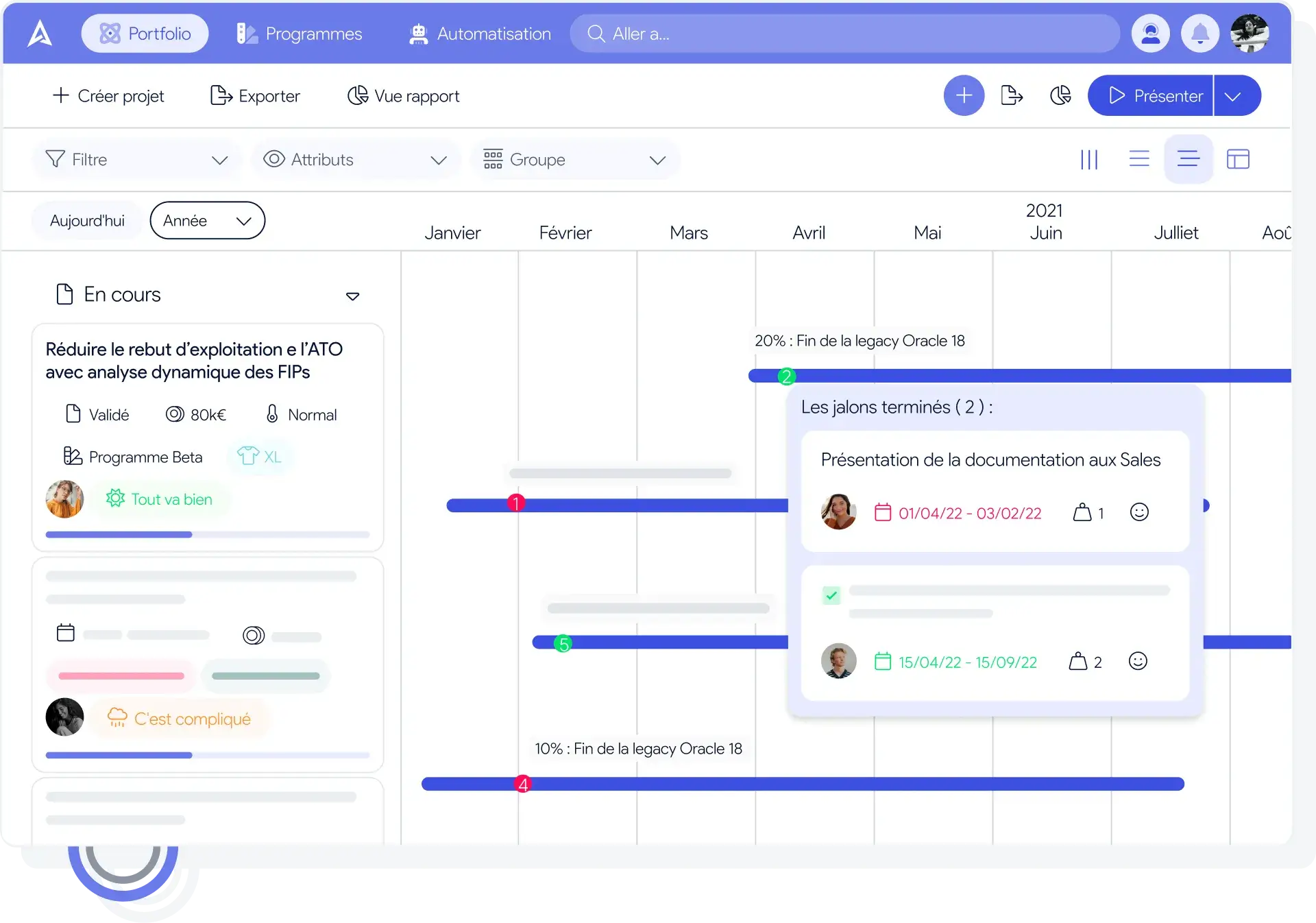
Each view of the project portfolio tells you something different. The timeline gives an overall picture of the projects with their milestones attached. At a glance you can spot overruns, dependencies, and the projects that will run in parallel. Consider different scenarios by moving projects through time, and choose the strategy that brings the greatest benefit. The tool will show recommendations based on various factors (resource availability, project importance, delays on important milestones, etc.)

Tracking budgets and making the most of resources is central to the CIO's job. It is the combination to follow continuously in order to steer your activities. AirSaas pulls in the time and budget consumed through its connectors with your finance and project management tools. There is also a declaration module, so your information stays up to date, consolidated and exportable.
Your teams complain that the business is not engaged in the projects it asked for. And on the business side, the frustration shows in the delays and in requests that go unheard. AirSaas offers a common structure to follow when setting a project up. The dashboard view gives a shared understanding of the development constraints and lets the governance body decide collectively. The tool puts collaboration first and makes it possible to surface the problems encountered, the wins along the way, to share meeting minutes, and so on — bringing teams together around a common interest.


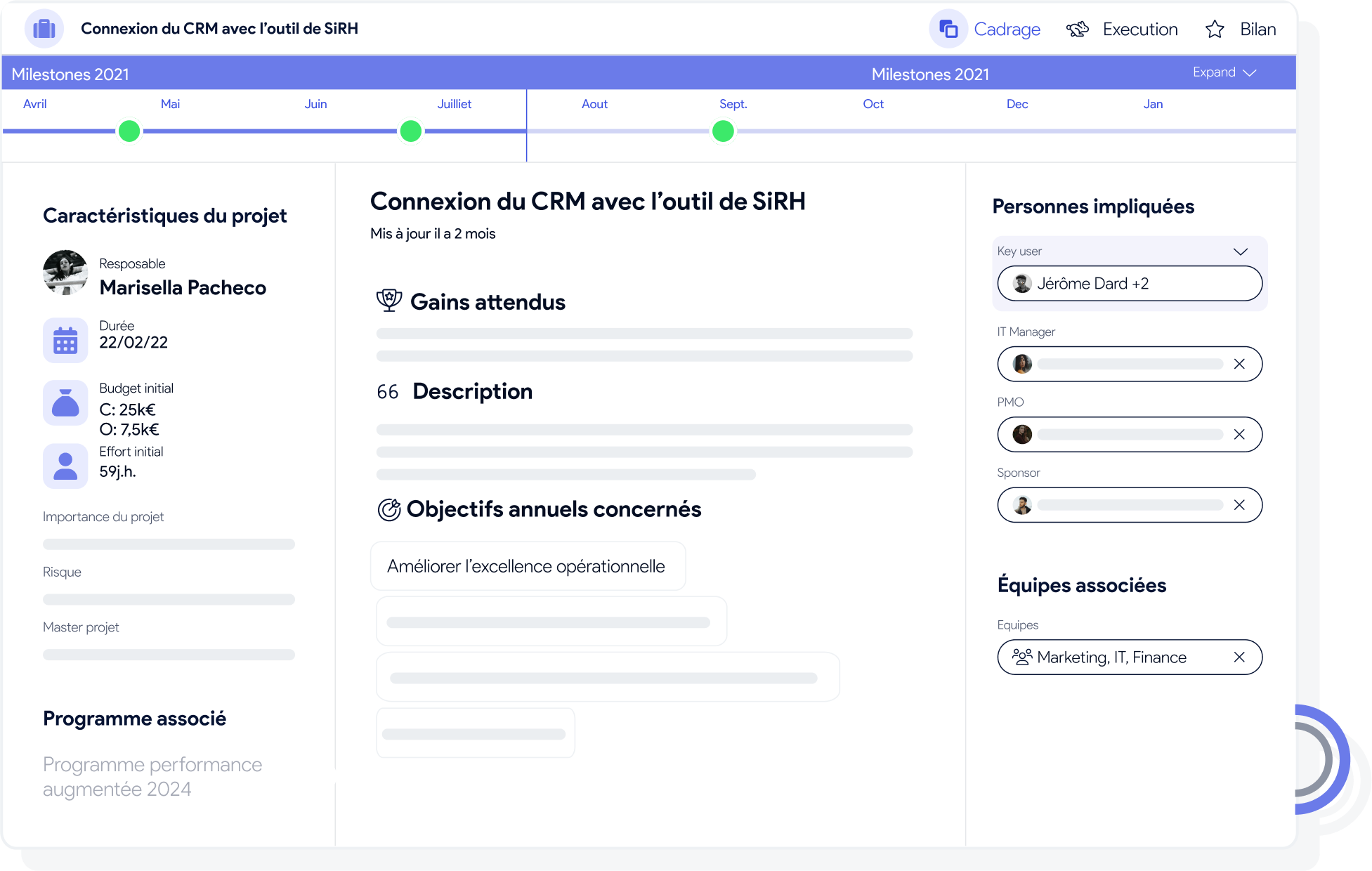
A poorly defined project is often the first source of frustration for IT teams, and always one of the main reasons a project is delivered late. In AirSaas, users are guided to ask themselves the right questions and fill in the information that good framing needs (expected benefits, success criteria, effort required, etc.). And bear in mind that filling it in can be done collaboratively and asynchronously, right up to the point where the project can move to “ready for approval” and be presented to the steering committee.
Measuring how confident the teams are in the project's success, on a regular basis, is essential. That way you can correct course before an announced failure becomes too costly for the company. In AirSaas you can send out a survey at regular intervals, and improve team engagement by listening to their concerns and smoothing out collaboration between the business and IT.


The content of your communication plan should let business leads and your leadership understand overall progress, the blockers and the risk of slippage. It should also celebrate the wins, to motivate the teams and encourage the reluctant to join the movement of projects that succeed. Reporting is often seen as time-consuming. AirSaas helps you through it by letting you generate your flash reports automatically and send them in one click.
Many people treat project management tools and project portfolio management tools as the same thing. Yet the two serve different purposes. So what is the difference between these two kinds of software?
A project management tool sets out to ensure one particular project is steered optimally. Often through a dashboard, it simplifies a number of tasks:

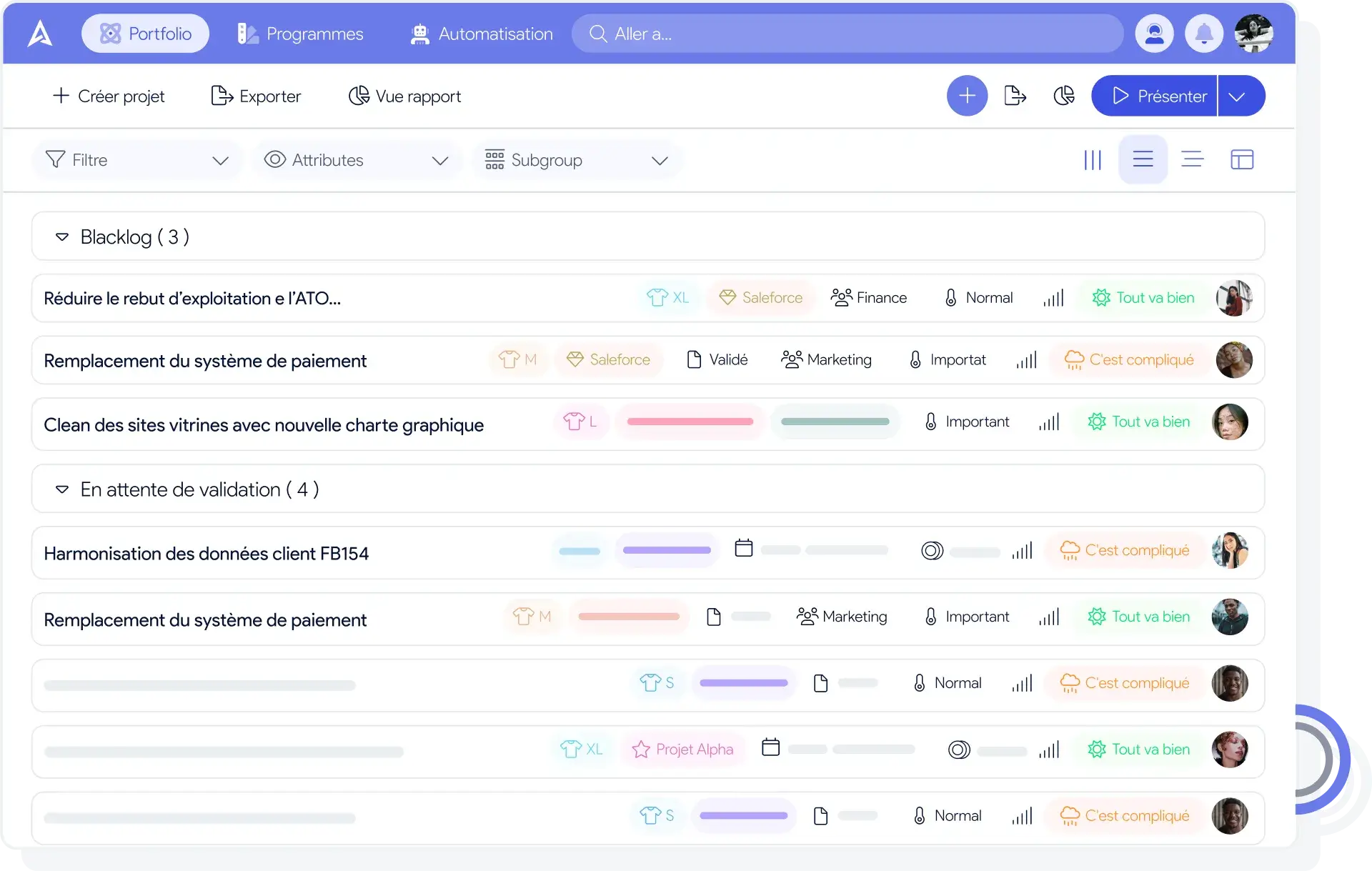
Unlike a project management tool, putting a project portfolio management tool in place makes it possible to optimize the delivery of several projects at once.
As it grows, a company ends up running more and more projects at the same time. Good communication and a structured organization may be enough to run a handful of projects together, but there inevitably comes a point where a project portfolio management tool becomes an indispensable ally for keeping operational efficiency.
To sum up, what is a project portfolio management tool for? Among other things, it lets you:
The first project portfolio steering tools were created some forty years ago, and yet new software keeps appearing regularly. Today all of these tools cover project portfolio management needs, but that has not always been the case. Some of them were originally built for project management.
The problem each one targeted when it was created


Looking at this chart, you can see that more than half of the project portfolio management tools were in fact originally designed to answer project management needs. Only later were they extended to cover both problems at once: project management and project portfolio management.
It is worth noting that some of these tools were developed to answer both needs (Sciforma, Ganttic) and that Planview was focused on project portfolio management from the very start. Today it is very rare to come across a tool that does not cover both aspects at once. That said, the differences between these products in the capabilities they offer come partly from the problem they targeted when they were first built — and partly from the view of project steering they support.
One reason project portfolio management products do not all offer the same capabilities: it depends on how they were conceived historically, but it is also a consequence of the view of project management they defend. So why are there different views of project management inside IT departments?
The role of the IT department has changed considerably over the past few decades. Once a function focused mainly on the technical side, it is now far more involved in solving business needs. On top of having to keep the information systems and the company's site running, the IT department is now expected to create value for its organization. As the nature of their projects changed, so did what CIOs expect from project portfolio management: they still need a tool to manage the technical work, but they also need software that simplifies their collaboration with the business, and the delivery of the projects they share.


The arrival of digital lets IT departments support their company differently, not least by weighing more heavily on the delivery of business objectives. An IT department that digitalizes business workflows now brings them a great deal, by simplifying their day-to-day work and making them more efficient. IT can even help a company change its business model, by supporting it in launching new online services. There is also the example Pierre Raschi (CEO of Référence DSI) tells: a butcher's shop was able to renew its ageing customer base thanks to a part-time CIO.
The rise of digital has therefore structurally led the IT department to be entrusted with more work, sometimes very far removed from simply keeping information systems running. With those new responsibilities, what IT departments expect from portfolio steering tools has inevitably changed.
The changes described above necessarily change the way the IT department interacts with the people in its company. An IT department focused mainly on technical work will tend to try to keep the behaviour of the various information-system users under control. Whereas an IT department that wants to bring value to the core work of its colleagues will need to build a closer relationship with them: if it wants to be able to support them in adopting new ways of working, it has to understand their needs in fine detail. So depending on the mission the IT department gives itself, it will not need the same kind of project portfolio management tool.
To contrast these two styles of IT department, you could represent them as Maslow pyramids:
Once you understand that project portfolio management tools do not all offer the same capabilities, the question becomes: which kind of tool will achieve your IT department's objectives?
There are of course project portfolio steering tools that are more or less complete, offering a range of capabilities such as:
But rather than a list of features, project portfolio management tools can be grouped into categories.
Some project portfolio management tools, such as ERPs, try to answer every need an IT department might have. They are often effective, but it has to be said that they lack flexibility once they are in place.
Conversely, other tools (SaaS ones in particular) offer fewer features but can integrate with the tools already installed. Choosing that kind of solution avoids duplication, and above all reduces the cost of changing tool: upgrading a full ERP is a complex, time-consuming and expensive project. Each of these kinds of tool matches a view of the role the IT department should play in its company. If it goes for lighter, less complete tools, it is because it considers that its mission is no longer necessarily to answer every need its company has and will have at once, but rather to be able to adapt as the company evolves. Because those tools were easy to put in place and to change, the IT department stays able to answer a specific problem effectively, according to what its company expects.


Where a CIO wants to establish deeper collaboration with the business functions of their company, a tool that includes a collaborative space can be very interesting. That space structures the exchanges and centralizes the important information far more effectively than software like Slack or Teams. So this kind of tool can be a real lever for involving the business, and for making IT's support of them work better.
Project portfolio management software developed to deliver a high-quality user experience has two major advantages for an IT department.
First, it is far easier to get the business involved when you offer them a tool with an intuitive interface: it is hard to expect strong engagement from the business when IT teams simply invite them to work in tools that were never designed for business profiles. Project portfolio management tools with good UX are therefore generally one of the options to favour for a CIO who wants IT and business teams to collaborate effectively. The other major advantage is the adoption rate of the portfolio software: tools that bet on UX are quick to pick up and involve little friction for the business. That is a strength any CIO who wants to involve their company's business functions more in IT projects should take into account.
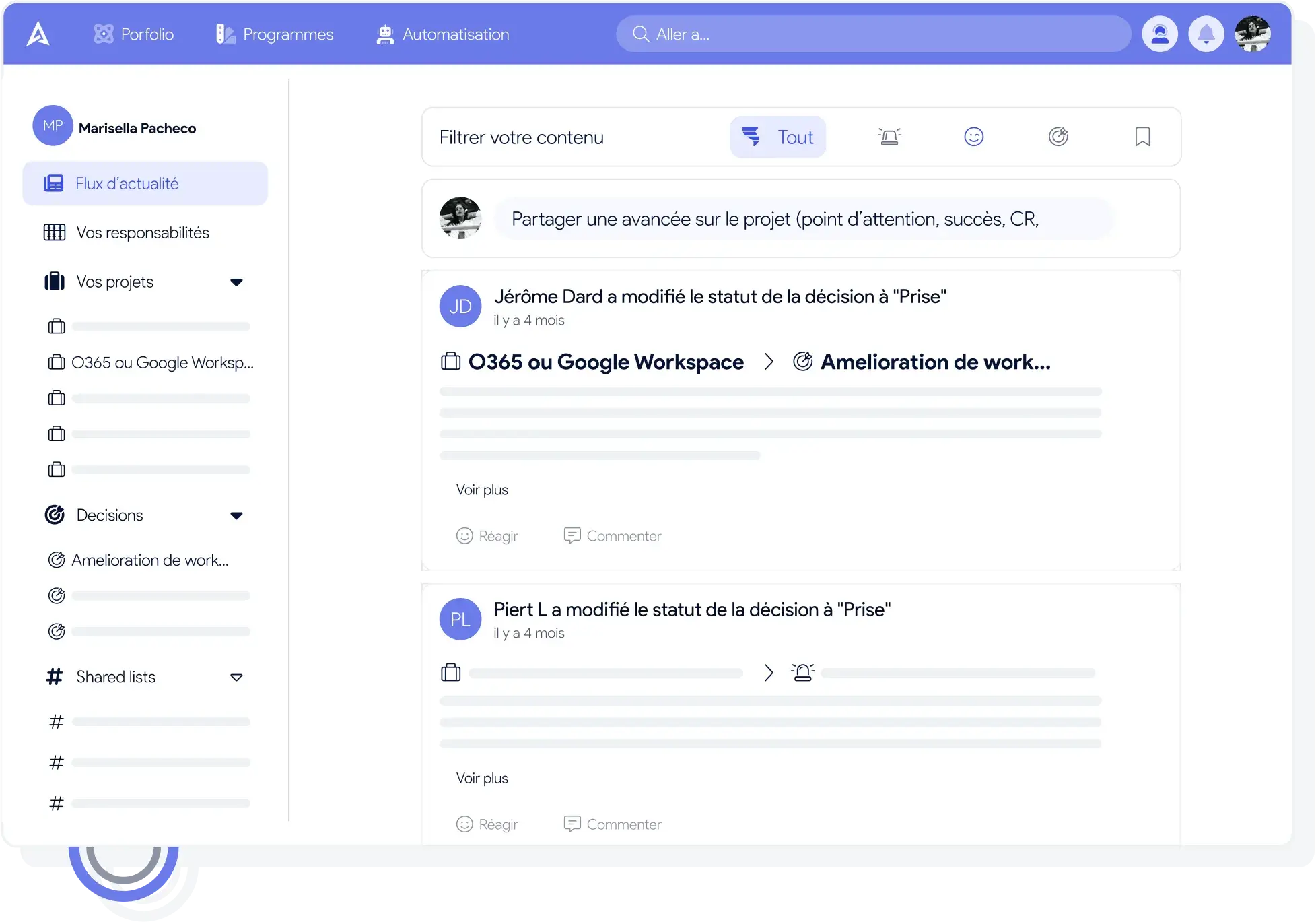
Every tool carries a methodology within it. So one of the ways to maximize the adoption rate of new software in your company is to choose a tool whose intrinsic methodology is close to your company's — whether in the objectives you pursue, the working methods already in place, or the view you hold of how the IT department should manage a project portfolio. It is therefore essential to question existing practice, and to choose your project portfolio management tool accordingly.
You are of course well advised to choose a tool whose methodology is fairly close to the processes already in place in your company. But it is worth noting that a portfolio tool can also make it easier to adopt new working methods, and to change the company culture step by step. A company's culture is the product of the behaviour it adopts in a particular environment. So if you change the environment, not least by changing the software used, you change the culture. While choosing a new tool can be a lever for supporting a change of practice, care is still needed: that transformation of working teams also has to be supported by decisions and direction — offering a new tool cannot be enough on its own to shift the habits embedded in a company's daily life.
To sum up: choose a tool whose intrinsic methodology is not too far from the reality of your company — or, failing that, from the reality you want to establish.
AirSaas is a fairly light project portfolio management tool that does not set out to be all-in-one software, but that includes most of the key capabilities an IT department needs to see its projects delivered.
Jira By integrating with Jira, AirSaas automatically brings project progress data onto the platform. That gives you an overall view of every project and how far along it is, effortlessly.
Microsoft Teams AirSaas is integrated with Microsoft Teams. The most important information about projects in flight is sent automatically to your dedicated Teams channels. With this integration, you can share project progress with the whole company easily. If you use other solutions, do tell us.

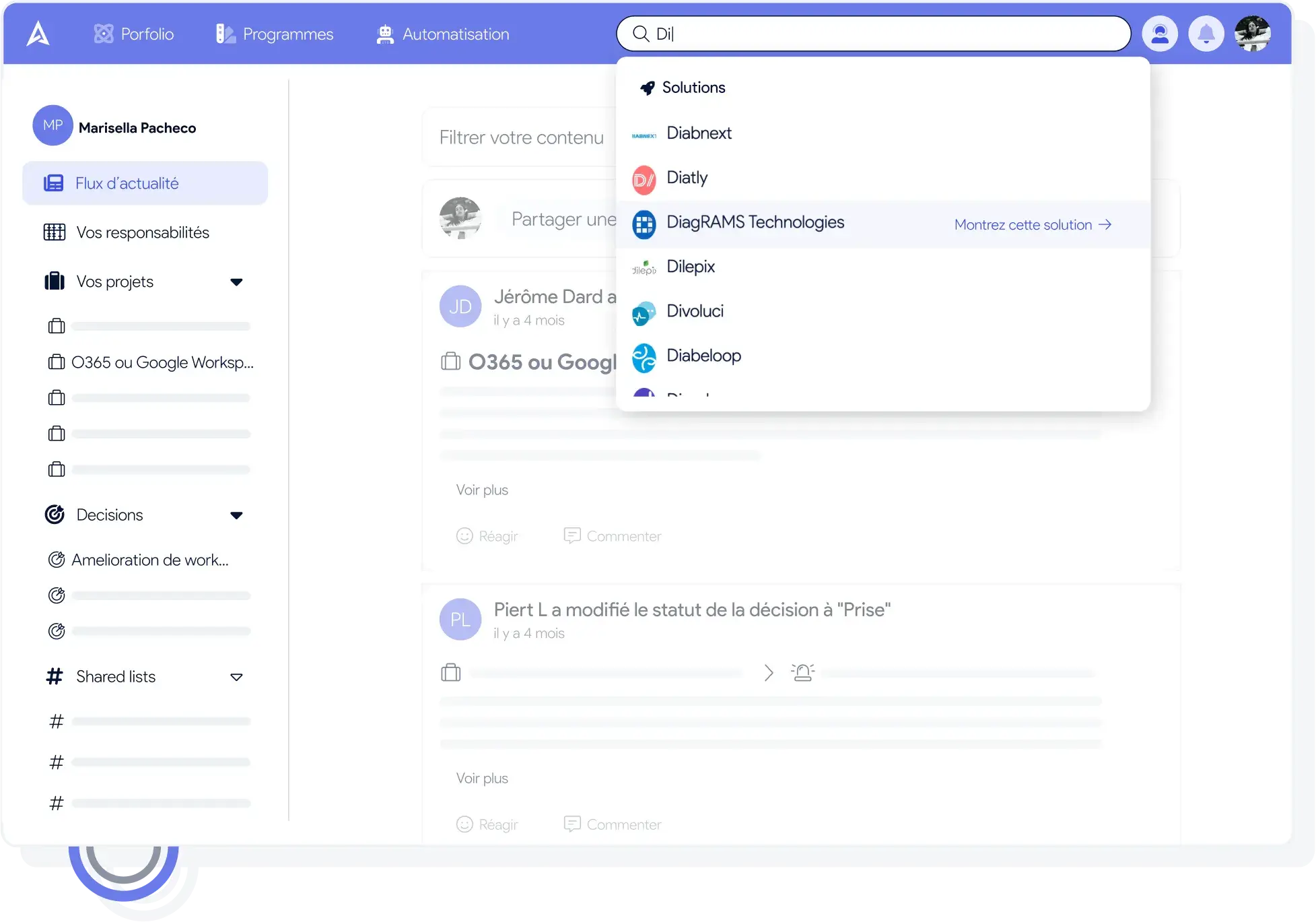
Our bet: to get the business involved, the IT department needs the PPM tool they will pick up quickly, without friction. We do not believe companies will break silo thinking and structure close business/IT collaboration by forcing the business to work in complex software.
We took the collaborative logic all the way: AirSaas offers a search engine for solutions (external and internal) that business leads can use. When a business function has a need, it is already looking for solutions on its own without necessarily telling IT — which can end up facing Shadow IT. Our idea here is to give the IT department a way to frame those practices and structure their search for solutions, while helping them understand the technical constraints of the IT estate.
AirSaas is therefore a light PPM solution, one that integrates with what you already have, and that carries a strong collaborative methodology in order to involve the business.
Adopt an effective project reporting solution today.